The moment you pull a dusty photo album from the shelf and dust off memories, life speeds up in a heartbeat. Different people save photos in different ways, and that mix can be chaotic or charming—depending on your vibe. Let’s sort through the chaos and make memory-keeping feel effortless, not overwhelming.
Why Save Stuff in the First Place (And Why It Gets Messy)
We save photos because they’re tiny time machines. One snap of grandma’s kitchen, and you’re suddenly back to the smell of cinnamon and a radio playing in the background. The problem? We juggle formats, devices, and todo-lists like a circus clown. Files get mislabeled, duplicates multiply, and a cloud account becomes a mystery novel with missing chapters. FYI, the goal isn’t a perfect archive; it’s a usable, joyful collection you can actually find when you want it.
Know Your Formats: Classic, Digital, and Hybrid Worlds

– Classic prints: Aliased corners, yellowed edges, but undeniable tactile nostalgia.
– Digital files: JPEGs, RAWs, HEICs, and whatever the cloud throws at you.
– Hybrid: Printed albums paired with digital backups. The best of both worlds, with fewer headaches.
Free workbook: Want a simple way to practice this? Get the free 7-Day Couples Communication Reset.
Get the Free 7-Day ResetQuick crash course on formats
– Photos on phones: Great for immediacy, risky for long-term safekeeping.
– Computer hard drives: Easy to copy, but drives die. Have a backup plan.
– Cloud storage: Accessible anywhere, but you’re trusting a company with your memories. Choose a reputable provider and keep local copies.
– Scans of prints: Converts paper into digital, but you’ll want to back them up and label them properly.
Finding Your Personal Saving Style (Without Judging Yourself Too Hard)
Do you lean into organized systems or embrace the chaotic joy of a spontaneous dump? Either way, you’re not wrong. The trick is to create a system you actually use.
– If you love structure: Create folders by year, event, and person. Add short captions. Keep a master spreadsheet or a simple note with keywords.
– If you thrive on storytelling: Build albums around memories, like “Summer Road Trip 2019” or “Grandma’s Christmas Brunch.” Let the story drive the order.
– If you’re all about speed: Create a “Recent” dump where you toss everything for a week, then curate later. Still schedule monthly quick cleanups.
1-Click vs. Craft: How Much Cuss-Free Effort Do You Want to Invest?
Saving everything and organizing nothing is a vibe, until you need that one photo of Uncle Joe’s cheesy grin from 1998. Then it’s not a vibe—it’s a panic.
– One-click approach: Use automatic backups from your phone and computer. Let the tech handle the boring part.
– Craft approach: Sit down monthly, tag people, write tiny captions, and curate albums. It’s more satisfying, but takes time.
– Hybrid approach: Automatic backups for safety, plus quarterly curation sessions. Boom—security with a human touch.
Techie Tools That Save Time (Without Replacing Your Sanity)
Here’s a toolbox you can actually use, with practical tips.
– Cloud backup services: Pick two services you trust. Paranoia mode: enabled. Keep a local copy too.
– External hard drives: A 2TB drive is a nice starter. Archive year-by-year to avoid data mush.
– Photo management apps: Look for tagging, facial recognition, and easy sharing. Some apps auto-create albums from events.
– Scanning gear or services: If you’ve got boxes of prints, a scanner or a scanning service can convert them to digital gold.
Subtle but powerful tips
– Label while you sort: Name the file with year_event_name_person.jpg.
– Use consistent metadata: Add dates, people, and location when possible.
– Backup checklists: 3 copies total (cloud, local drive, and an offsite backup). If one fails, you’re not left face-down.
Preserving Faces: People-Centric Organization
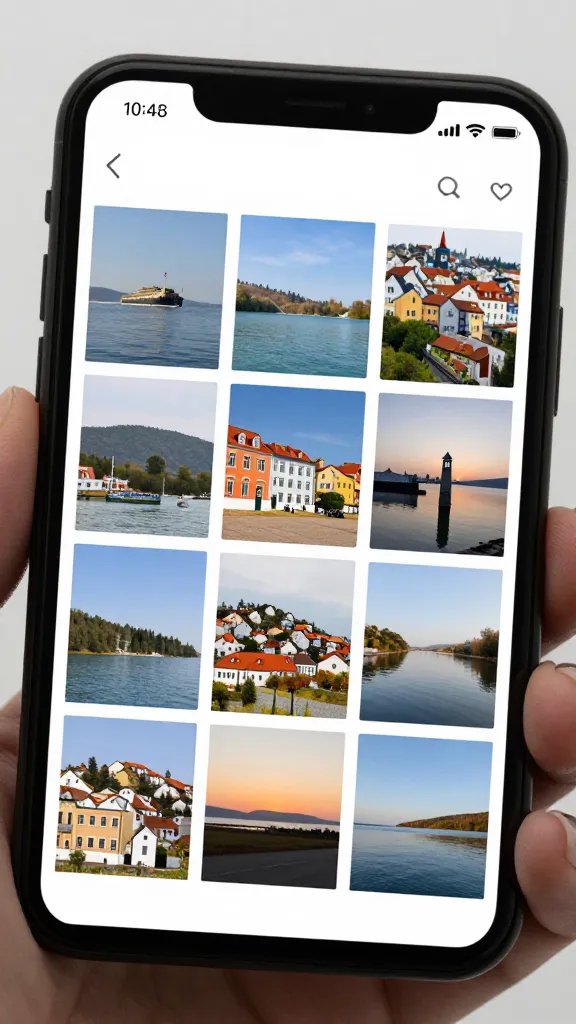
People are the easiest way to humanize a collection. It’s also the fastest way to get lost—because faces blur together after a few generations.
– Create a “People” space: Tag by person, then tag events to show who was where and when.
– Build a family photobook tradition: Every year, pick a handful of photos that tell your family’s current vibe.
– Involve relatives: Ask siblings, cousins, or grandparents to contribute their gems. A memory-swap session can be fun and revealing.
Need help putting this into practice? The free 7-Day Couples Communication Reset gives you simple daily prompts for calmer conversations.
Download the Free ResetPhysical vs. Digital Albums: The Debate That Never Dies
Physical photo albums feel timeless, while digital albums feel modern and shareable. You don’t have to pick just one.
– Physical albums: Great for sharing with kids and grandparents who love flipping through pages. Keep a small, curated set on a coffee table.
– Digital albums: Easy to share with far-away relatives. Create themed albums (Birthdays, Vacations, Holidays) for quick browsing.
– Hybrid setup: Print a few favorite pages or a photo book every year. Save the rest digitally for quick nostalgia trips.
Safety Nets: Backups, Redundancy, and Sanity Checks
Backups aren’t glamorous, but they’re the hero you deserve.
– 3-2-1 rule: Have three copies of your photos, on two different media types, with one offsite copy.
– Schedule backups: Do it monthly or whenever you add a lot of new photos.
– Test restore: Occasionally try to pull a photo from your backup. It’s the only way to know your system actually works.
FAQ
What’s the simplest way to start saving family photos today?
Start with a single “Recent” folder on your phone and computer. Move the last 30 days of photos into it, delete obvious duplicates, and add a quick caption for context. Do a backup to the cloud and an external drive. You’ve just created a foundation without overthinking.
How often should I curate and organize my collection?
Aim for a quarterly check-in. It’s short enough to stay manageable and frequent enough to stop chaos from taking over. If quarterly feels too ambitious, try six-month intervals and adjust as needed.
What if my family uses different tech and platforms?
Pick two syncing methods you trust, then set expectations with everyone. For example, agree to share new photos to a shared cloud folder and to contribute to a family Google Photos album. Encourage captioning and tagging so future generations can actually find stuff.
How do I deal with duplicates without losing my mind?
Use a duplicates finder tool or app, then review in small batches. Rename keeper photos with a simple convention like YYYY-MM-DD_name_event.jpg. Don’t be afraid to delete obvious duplicates—less is more when you’re searching later.
Is it worth paying for a scanning service for old prints?
If you have boxes and boxes of priceless prints, yes. A quality scan preserves details that cheap scanning often misses, and it saves your back from the treadmill of crouching over a scanner. If it’s a handful of gems, you can DIY with a good scanner or a smartphone app.
How can I involve kids without turning it into a chore?
Turn it into a mini game: “Find the oldest photo of you,” “Identify the pet,” or “Caption this moment.” Kids love stories, and giving each photo a silly title keeps them engaged. It also teaches them to value memory-keeping.
Conclusion
Saving family photos isn’t about achieving perfection; it’s about creating something you and your people can actually use and enjoy. Start small, pick one or two tools you’ll actually commit to, and build from there. FYI, the real magic happens when your future self can pull up a photo and instantly relive a moment with a smile or a tear. So go ahead—grab that next photo, give it a home, and invite your family into the story. The memories are waiting, and you’ve got this.
Ready to practice better communication?
Start with the free 7-Day Couples Communication Reset, or explore the full Couples Communication Workbook & Handbook for deeper guided exercises.